Debtless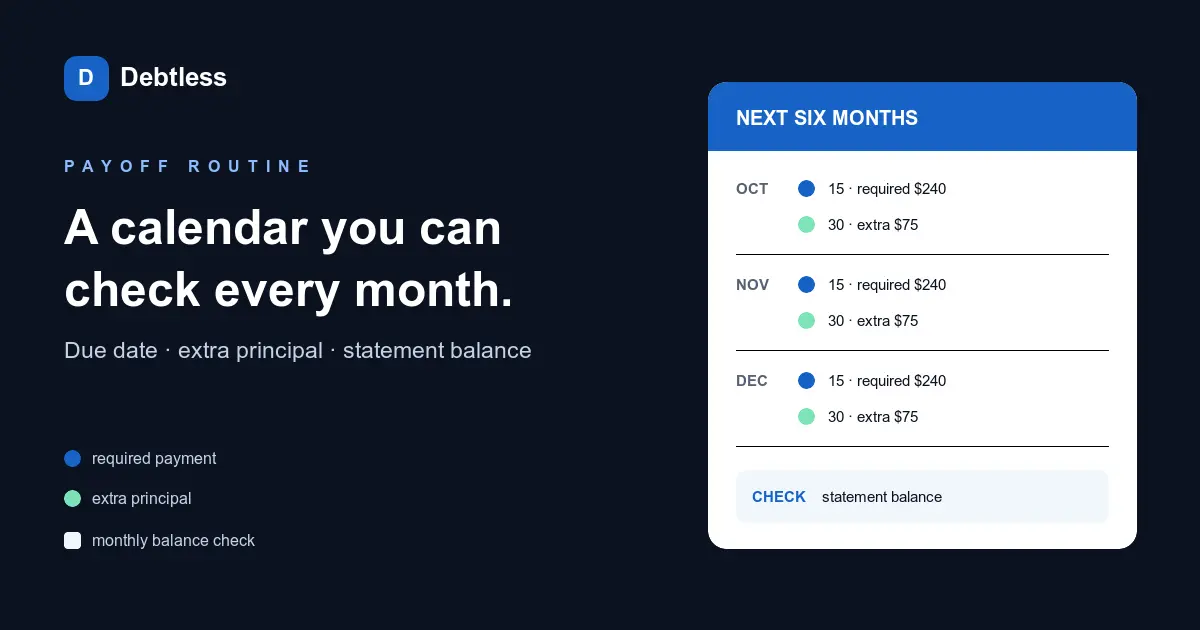
The short answer
A loan payoff calendar is a dated schedule of required payments, optional extra principal, and balance checkpoints from now to the estimated final payment. Build one from the latest statement, place each required payment on its actual due date, add only the extra payments you expect to make, and compare the projected balance with the lender's statement every month. A calendar built this way tracks whether the plan is still on course instead of displaying one payoff date and going stale.
What belongs on a loan payoff calendar?
A loan payoff calendar needs five items: the required-payment due date, planned payment amount, separate extra-principal date and amount, projected balance checkpoint, and actual statement balance. Keep the loan name and rate in the header so a printed page still makes sense after it leaves the account screen.
The CFPB's debt log asks for payment amount, payment due date, interest rate, total amount left, and "payoff date or goal." A working calendar adds dates to those fields and leaves room for the actual result. That last column turns a forecast into a routine: when the projected balance says $8,874.95 and the statement says $8,921.10, you have a $46.15 difference to investigate.
Keep taxes, insurance, and unrelated subscription dates on the household calendar. This sheet stays focused on the loan. If several debts compete for the same money, make the payoff plan from current statements first and give each account its own row or color.
| Calendar field | What to enter | Where to verify it |
|---|---|---|
| Required payment | $240 on the 15th | Statement or loan portal |
| Extra principal | $75 on the 30th | Your budget and lender instructions |
| Projected balance | Model balance after both payments | Payoff calculation |
| Actual balance | Statement closing balance | Next statement |
| Difference note | Fee, late posting, rate change, or correction | Transaction history |
Keep required and extra payments on separate lines even when you send them together. That makes a skipped extra visible without implying the required payment was missed.
How do you turn a statement into monthly calendar entries?
Turn a statement into calendar entries by anchoring the first required payment to its printed due date, then repeating that event at the loan's actual frequency. Add a second event for extra principal only after confirming how the lender accepts and applies it. Finally, add a balance-check event after the statement closes.
For a loan due on the 15th, the row might read: October 15, required $240; October 30, extra principal $75; November 2, record actual balance. Repeat those three actions for each month, but do not fill future actual-balance cells. Empty cells show what still needs verification.
Use a monthly recurrence for a monthly loan. A phone calendar can hold reminders, a spreadsheet can calculate projected balances, and paper can keep the checklist visible. The tool matters less than the same three dates appearing every cycle.
- Record the statement date, current principal, rate, required payment, and due date.
- Project one month at a time: opening balance plus modeled interest minus required and extra payments.
- Add the required-payment date to every month through the estimated payoff month.
- Add extra-principal dates only for amounts your current budget supports.
- Add a statement check two or three days after the usual closing date.
- Replace the projection with the actual balance at each check, then recalculate later months.
How often should you correct the payoff calendar?
Correct the payoff calendar after every statement, because the actual balance is the new starting point for every later month. Small differences can come from rounding or the number of interest days. Larger differences can point to a fee, payment that posted after the cutoff, extra money applied incorrectly, or an interest-rate change.
Compare the transaction history before changing the plan. The CFPB says simple-interest auto loans calculate interest from the outstanding balance daily or monthly, so payment timing can change how much reaches principal. The same agency notes that precomputed interest behaves differently and that extra payments may not reduce principal and interest in the same way. A correction is useful only when the calendar matches the contract.
Move the projected final payment when the numbers change. Do not erase the old estimate; note the revision date. That gives you a record of why a March 2029 target became May 2029 after a skipped extra payment, or February 2029 after a windfall.
How do you manage more than one loan on the same calendar?
Manage several loans by keeping every required payment visible while sending the shared extra amount to one chosen target. Each loan needs its own due date and statement checkpoint. The target loan also gets the extra-principal event. When it reaches zero, move that amount to the next loan starting with the following cycle.
A combined calendar should never hide a minimum payment behind the target account. The Debtless payoff calculator compares snowball and avalanche ordering, while the calendar answers a different question: on which dates will the planned money move, and what balance should you expect afterward? Use the strategy to choose the target and the calendar to carry it out.
Mortgages deserve their own version because escrow, servicer timing, and a much longer term add more checkpoints. The mortgage payoff calendar checklist covers that home-loan-specific workflow. For a personal or auto loan, a compact monthly sheet is usually enough.
Worked example · illustrative numbers
What would the first year of a $9,600 loan calendar show?
| Checkpoint | Projected balance | What to check |
|---|---|---|
| After month 1 | $9,360.20 | $240 required and $75 extra both posted |
| After month 3 | $8,874.95 | Balance agrees with statement after rounding |
| After month 6 | $8,132.73 | Rate is still 9.4% |
| After month 9 | $7,372.93 | No extra payment was skipped |
| After month 12 | $6,595.13 | Rebuild the next 12 months from actual balance |
| Estimated finish | Month 35 | Request an official payoff quote before final payment |
Hypothetical $9,600 loan at 9.4%, with $240 required plus $75 extra each month. The model estimates $1,411.69 of interest and 35 payments; $240 alone takes about 49 payments and $1,962.32 of interest.
Put this into practice with Debtless
Debtless gives the calendar a current source for your plan: enter the balance, APR, minimum payment, and due date, then record payments and review the projected debt-free date. It does not send payments or pull lender balances. Update the app from each statement so the calendar and the lender ledger do not drift apart.

Common questions
Is a loan payoff calendar the same as an amortization schedule?
No. An amortization schedule calculates how each payment divides between interest and principal. A payoff calendar adds the dates you will act, the extra payments you plan, and checkpoints where you compare the forecast with the lender's balance.
Should extra payments have their own calendar event?
Yes. A separate event makes the optional amount visible and lets you confirm that the lender applied it to principal. It also keeps a skipped extra from looking like a missed required payment.
What should I do when the statement balance differs from the calendar?
Check the rate, interest days, fees, and posting dates first. Then replace the projected balance with the actual statement balance and rebuild later checkpoints from that verified number.
When should I request a final payoff quote?
Request it close to the planned final payment, using the lender's required channel. A quote is usually good through a named date and can include interest or fees that a calendar estimate does not know.
Sources & further reading
- CFPB: Your Money, Your Goals debt booklet and debt log
- CFPB: Simple vs. precomputed auto-loan interest
- CFPB: Payoff amount vs. current balance
General education for U.S. readers, not individualized financial, legal or tax advice. Examples are hypothetical; lender terms and actual interest calculations can differ. Check your current statements and agreements.
Published by Debtless with AI-assisted drafting. How this journal is made · Suggest a correction