Debtless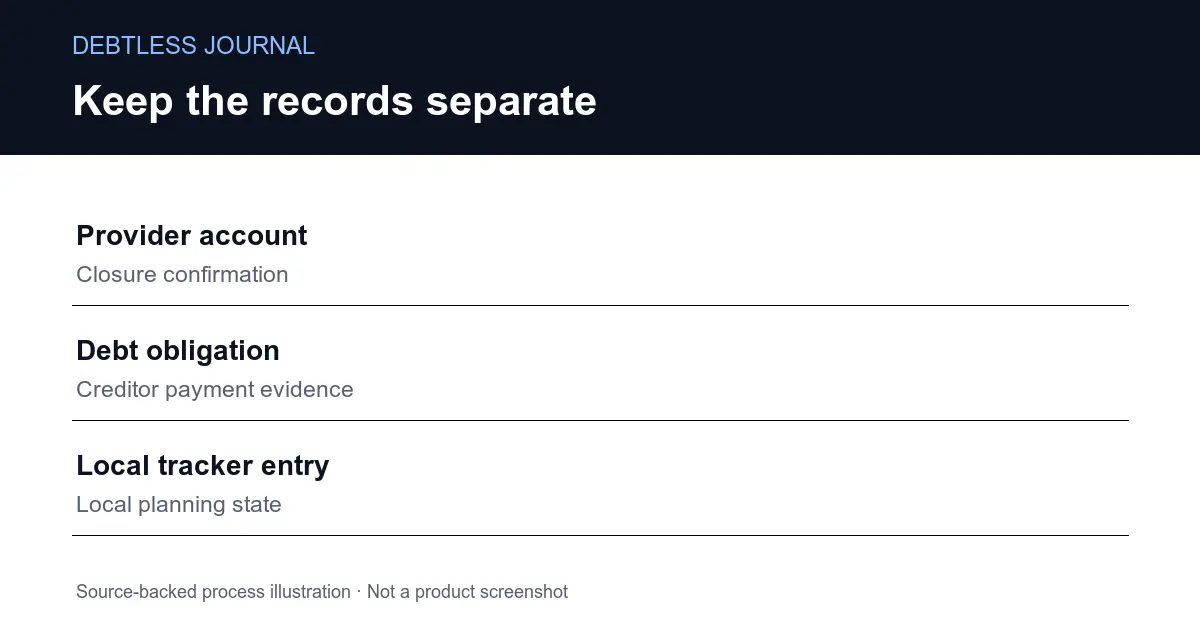
What mistake makes account closure look like repayment?
The mistake is treating the removal of a login as evidence that an obligation was paid. A service account, a payment method and a local debt record represent different things. Closing one does not provide the statement, posted payment or creditor confirmation needed to update another. Keep the records tied to the actual obligation, including any separately identified credit product, until its own status is verified.
Use a simple recordkeeping sequence: identify the account you intend to close, identify every obligation you have been tracking in relation to it, and mark which facts have been confirmed. An account nickname is enough in a local planning note. Do not paste passwords, security answers or complete account numbers into an app or an email to support.
PayPal’s official help page says a closed account cannot be reopened. That makes a before-and-after record useful. Save the documents you reasonably need before taking the irreversible step, then retain the closure confirmation separately from payment evidence. The article on avoiding duplicate debt entries helps keep one real obligation from turning into several ledger rows while you sort out those records.
What should you check before using Close Account?
Check the account through PayPal’s own verified website and compare what it shows with your records. PayPal says a remaining balance, limitation or unresolved issue can prevent closure. Its help page also directs people to report an unauthorized payment in the Resolution Center. Use the official support path for a blocked or disputed account instead of repeatedly deleting and rebuilding local tracking entries.
The web closure instructions have three steps, but preparing your records is a separate task. Read the current help article immediately before acting because labels and available flows can change. This post describes the web instructions, not an independently tested PayPal mobile flow. No account was closed to produce this article, and Debtless has no connection that can close one for you.
If you are uncertain what a displayed balance represents, stop at the identification step. Check the specific product name and agreement in the official account. Do not assume a wallet balance, a credit balance and a payment history row are interchangeable. Keep unresolved entries visible until you have enough evidence to describe their status accurately.
Why is deleting a Debtless entry a different action?
Deleting a Debtless entry removes a local planning record. The tracked deleteDebt function removes a debt with the matching identifier, saves the list and cancels its reminder. Those statements contain no PayPal request and no instruction to a creditor. A cleaner app screen therefore proves only that the local record was removed.
The exact source excerpt appears in the walkthrough below. It provides a narrow, useful boundary: deleting the ledger row cannot be used as your closure receipt. The excerpt also does not establish every behavior of the complete app. This article did not run a native device deletion or inspect a person’s financial data. Its product claim is limited to the existing tracked function.
When you want fewer active reminders, first establish the real account status and preserve the records you still need. Do not delete an unpaid obligation just because you no longer want to use the payment service. The guide to using a local debt app without another account describes why a local planner can remain separate from the accounts it helps you organize.
What records should survive the closure workflow?
Keep records that identify the obligation, explain what happened to it and show which source confirms the result. A dated statement, a payment confirmation and a closure confirmation each answer different questions. Store them in your own secure record system. Debtless’s local balance or a screenshot of an empty list should not replace the creditor’s evidence.
A small status table works without invented balances. Give each row a subject, a current status and a next check. For example, the PayPal login row can say “closure confirmation saved,” while a separately tracked obligation can say “waiting for final statement.” These are illustrative labels, not a customer story or a report that any account in this article was closed.
After you verify that an obligation is finished, review what its old payment amount should do in the broader plan. The finished-payment rollover guide covers that decision. Make the change because the obligation is actually settled, not because its login disappeared. If an issue remains unresolved, preserve a clear next action and use the provider’s official support channel. A shorter account list still needs an accurate record.
What evidence belongs beside each action?
| Action | Evidence it needs | What it does not prove |
|---|---|---|
| Close a PayPal account | Provider closure confirmation | Every related obligation was paid |
| Finish a debt | Creditor statement or settlement record | The provider login was closed |
| Delete a local tracker row | Local product state | A provider received a payment |
A process map, not a record of completed transactions.
Worked example · source walkthrough
What does local deletion prove in the product source?
The tracked file debtlist/DataManager.swift includes the exact expression: debts.removeAll { $0.id == debt.id }
This expression selects local debt records by identifier for removal. The surrounding function saves the resulting list and cancels reminders for that debt. It does not contact PayPal. The source walkthrough supports a distinction between deleting a tracker entry and closing a provider account; it does not verify a live native deletion, a payment, or a PayPal closure.
Put this into practice with Debtless
Keep Debtless focused on the obligations you can verify. Update the local record from creditor evidence and keep unresolved items visible. The app can organize your plan; it cannot close PayPal, resolve an account limitation, or certify that a credit balance has been settled.

Common questions
Can I reopen a closed PayPal account?
PayPal’s current help page says a closed account cannot be reopened. Save records you need and check the current official instructions before confirming closure.
Why might PayPal refuse account closure?
PayPal lists a remaining balance, account limitation or unresolved issue as blockers. Check the official account and support instructions rather than changing your local debt records to make the issue disappear.
Does deleting a Debtless entry close PayPal?
No. The tracked deleteDebt function removes a local record, saves the list and cancels its reminder. It does not send a closure request to PayPal.
Sources & further reading
General education for U.S. readers, not individualized financial, legal or tax advice. Examples are hypothetical; lender terms and actual interest calculations can differ. Check your current statements and agreements.
Published by Debtless with AI-assisted drafting. How this journal is made · Suggest a correction